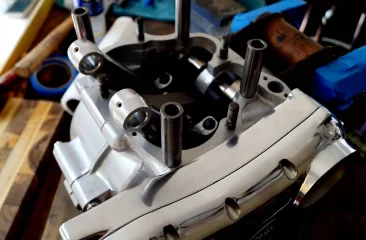
Photobucket is dead to me

Status
Not open for further replies.
Fast Eddie said:
That's awesome, thanks for trying so hard to assist a Luddite.

Sadly you underestimated the level of my incompetence...

I fell at the first hurdle; I cannot fathom how to resize photos on my iPad.

Anyone...?

BTW, anyone remember Peanuts (i.e. Snoopy and Charlie Brown)?

Can you remember how adults were portrayed?

Whenever they spoke, all you heard was an intelligible "wha, wha, wha" noise.

Well, that's what I hear when people talk IT...!

Fast Eddie,

Sorry to hear I missed the mark on image size reduction. I thought Apple’s stuff was supposed to be intuitive and easy? Regardless, drastic times call for drastic measures, so I guess you’ll just have to suck it up, pull out all the stops and resort to the only option remaining - ask you daughters how to do it.
 
acadian said:
Just use google drive, and use this link to generate embeddable image URL's

http://gdurl.com/

This works but how do you find the images and the "permalink" later if you want to post again. Do you have to go through the same process or is the image and permalink stored together somewhere so you can easily identify it?

Right now I renamed photo by adding the permalink to the title - then I can copy the permalink when needed. Is there a better way?
 
Maybe time to become a vip member?

The most annoying thing is that your pics are lost and for someone trying to get help or review an old post, its a bit annoying. I get quite a few emails asking why the photos arent there. Usually its because members remove the photos at the photo bank or its even worse if the change them.

Vip is best option if you want to keep photos in posts permamently for less than $4 monthly.
 
It looks like things might be slowly returning to normal at Photobucket as it seems it could have been another cyberattack.

Swooshdave's photo (of a Norton caliper and peg spanner) was there for a while but has disappeared again.

Photobucket still seems to be working normally for some of us.
 
I think it's a matter of time before they get to everyone. I know I've lost some pics on sites and it was working for me when I started hearing about the change.
 
Jerry Doe said:
Maybe time to become a vip member?

The most annoying thing is that your pics are lost and for someone trying to get help or review an old post, its a bit annoying. I get quite a few emails asking why the photos arent there. Usually its because members remove the photos at the photo bank or its even worse if the change them.

Vip is best option if you want to keep photos in posts permamently for less than $4 monthly.

Joe, I am a VIP member but it doesn't help with apple products it seems.

The work around to email photos to yourself and save them as something different and then post them is hardly what we've come to expect from modern convenience!

Joe, is it possible to improve the site to allow it to take larger size pictures? We'd have better quality pictures then as well as much easier picture posting.
 
Fast Eddie said:
is it possible to improve the site to allow it to take larger size pictures? We'd have better quality pictures then as well as much easier picture posting.
Yes! That would be a great VIP improvement. Having to down size photos is a pain. None of the other bike related forums I'm on require that, and it's nice to be able to really zoom in for details. Why is that the case here?
Bill
 
Hi there,

The main reasons for image restriction is to prevent / manage server space and load. Currently images sizes are set to a max 1MB and images should not be larger than 1200 x 1200. You are comparing a forum to a photo storage company. We are set up completely differently and here we focus on delivery of content as fast as possible, while making best use of space.

You can take a photo with your smart phone and it can be 6MB. It is not efficient to use a 6MB image. It should be resized before uploading. This will prevent server load and make downloads faster.

What size do you think we should allow images to be? I will consider changing it if you have a good reason and understanding of images in online applications like this forum should work.

Here is an image 1200 wide. I found that any larger than this and the image starts to carry over the page for users who are mobile or with small screens. Anything over 1300 wide seems to be a problem for correct viewing on the post page.


Jerry
 

Attachments

  • Photobucket is dead to me
    1200Wide.webp
    74.4 KB · Views: 378
Sorry Jerry, I'm afraid I don't know enough about how these things work to offer any suggestions, just wondering how or why this forum's different. I have been using my reasonably good Canon digital camera for years documenting work on various bikes, with the camera set to high resolution to allow for really helpful zooming in later on when my memory inevitably craps out. When I occasionally download one or a few of these larger photos to a couple other forums I'm on, by steps similar to the VIP method here for taking them straight off my laptop, there was/is no downsizing that I'm aware of. Maybe they were/are downsized some on the other end? Also, I just use my laptop for forums, not a phone. It would be nice if I didn't have to go thru the steps of copying a photo and editing it down to an acceptable size just to allow for posting to this forum, but if not, so be it. I'll happily support this excellent forum with my VIP membership and also avoid having to use Photobucket and their ilk.
Bill
 
Thats great D :D ave
Jerry I wonder if we can have a test page added to the forum somewhere? Its common on other sites to test images,Vids uploads etc.
I'm sure plenty off will be jumping ship from Photobucket to try other hosting sites.
 
Its common on other sites to test images,Vids uploads etc.

Can you send me a link to another site where they test uploads so I can see what you mean? I will look into it later.

Thanks

Jerry
 
Hi All,

A quick update (and thanks for sending me the links).

We are working on a solution to make image uploads easier for everyone. I have not got time to get into it right now, but there are some options.

Stay tuned

Jerry
 
swooshdave said:
Someone has created a workaround for Photobucket images. I wonder if Photobucket will create a block for this service?

In the meantime it works.

https://fixphotobucket.com

Photobucket is dead to me

I paste

https://fixphotobucket.com

In front of the image tag like you did but it doesn't work for me.

Is there a trick? Do you have to paste & load the problem image link into [url=https://fixphotobucket.com]https://fixphotobucket.com[/url] first?
 
speirmoor said:
I wonder if we can have a test page added to the forum somewhere? Its common on other sites to test images,Vids uploads etc.

It can be done by clicking the 'Preview' button before posting in any section (and something everyone should get into the habit of doing) before clicking Submit.
If the image or video doesn't embed (so still shows as a line of text instead of an image) in Preview then something isn't right.
Would everyone please also check their messages after posting and that you haven't double posted. If you find you have double posted then please delete the duplicate, thanks.
 
There is now a solution for the images. Thanks Les for finding this solution: https://postimage.io/site-plugins/phpbb.php There is another 3rd company who make it really easy for you to add images to posts. The images are not hosted on our server. Just below the editor on the left there is now a blue button "Add image to post". It seems to work ok. I uploaded the image below to test it. Click on the thumbnail image below to see an example.

Photobucket is dead to me
 
Got my notice and link to the $400 ripoff this morning, so it WAS just a matter of time. The fixphotobucket site mentions a new hosting service that should be up and running in a few days.
 
sheesh... google drive folks, free 15GB of storage, and google aint going anywhere or getting bought out anytime soon...
 
Status
Not open for further replies.
Back
Top